01 / Name the product
An Upgrade receipt is not a base-game license
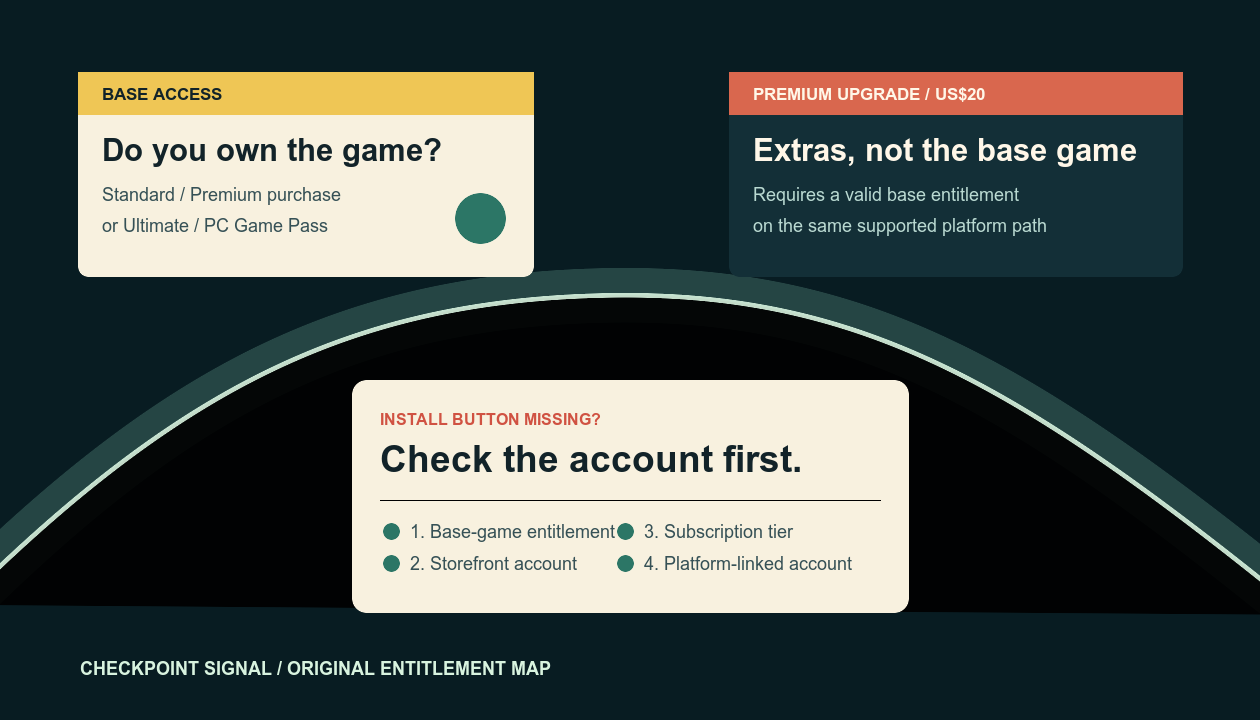
The Upgrade is for someone who already owns the Standard base game or currently receives it through an eligible Game Pass plan. Do not use the word “Premium” alone when checking a receipt: confirm whether it says Premium Edition or Premium Edition Upgrade.
02 / Subscription tier
Only two listed Game Pass routes supply the base game
Base game included
- Xbox Game Pass Ultimate
- PC Game Pass
Base game not included
- Xbox Game Pass Essential
- Xbox Game Pass Premium
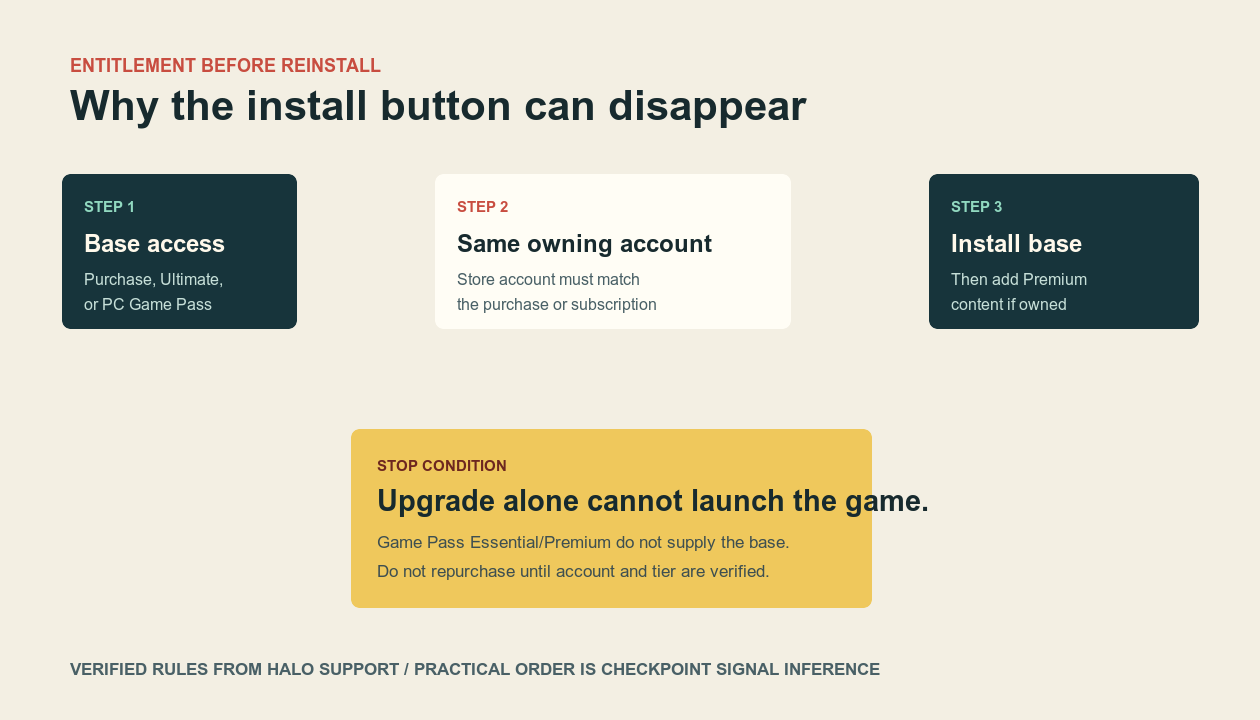
If an eligible subscription expires, the Upgrade remains an add-on but cannot keep the game playable by itself. Official support says the player must renew an eligible subscription or buy the base game.
03 / Owning account
Use the account that owns the license or subscription
- Xbox / Xbox app / Microsoft Store: confirm the Microsoft account owns the digital game or holds the eligible Game Pass plan.
- Steam: confirm Steam is signed in to the purchasing account, then confirm the linked Microsoft account before cross-play or shared progression.
- PlayStation 5: confirm the purchasing PlayStation Network account and the Microsoft account linked in-game.
- Do not unlink casually. Halo Support says Steam or PlayStation unlinking requires support and can affect platform-visible progression.
04 / Installation order
Install the base game before diagnosing Premium content
- Open the library for the account that owns the base game or eligible subscription.
- Install Halo: Campaign Evolved, not only the Premium Edition Upgrade listing.
- After the base install is visible, install the Premium Upgrade content from the same supported storefront path.
- If the base game is absent, recheck the exact product name, subscription tier, and account before purchasing again.
05 / Escalation packet
Capture four facts before contacting platform support
Record the exact product name on the receipt, storefront, signed-in account identifier with private parts hidden, and Game Pass tier/renewal state. Then record whether the base game or only the Upgrade appears in the library. Storefront purchase and install issues belong with the relevant platform support; in-game account-linking issues belong with Halo Support.