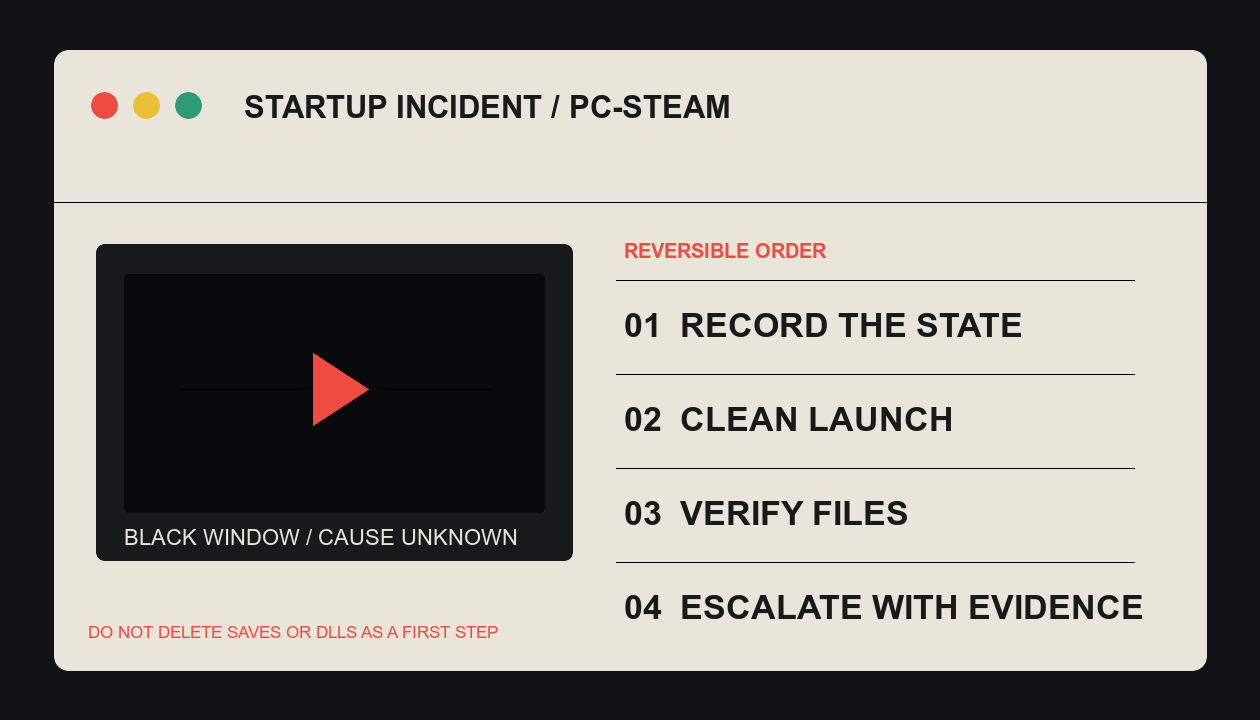
01 / Preserve the symptom
Do not turn four different failures into one “black screen”
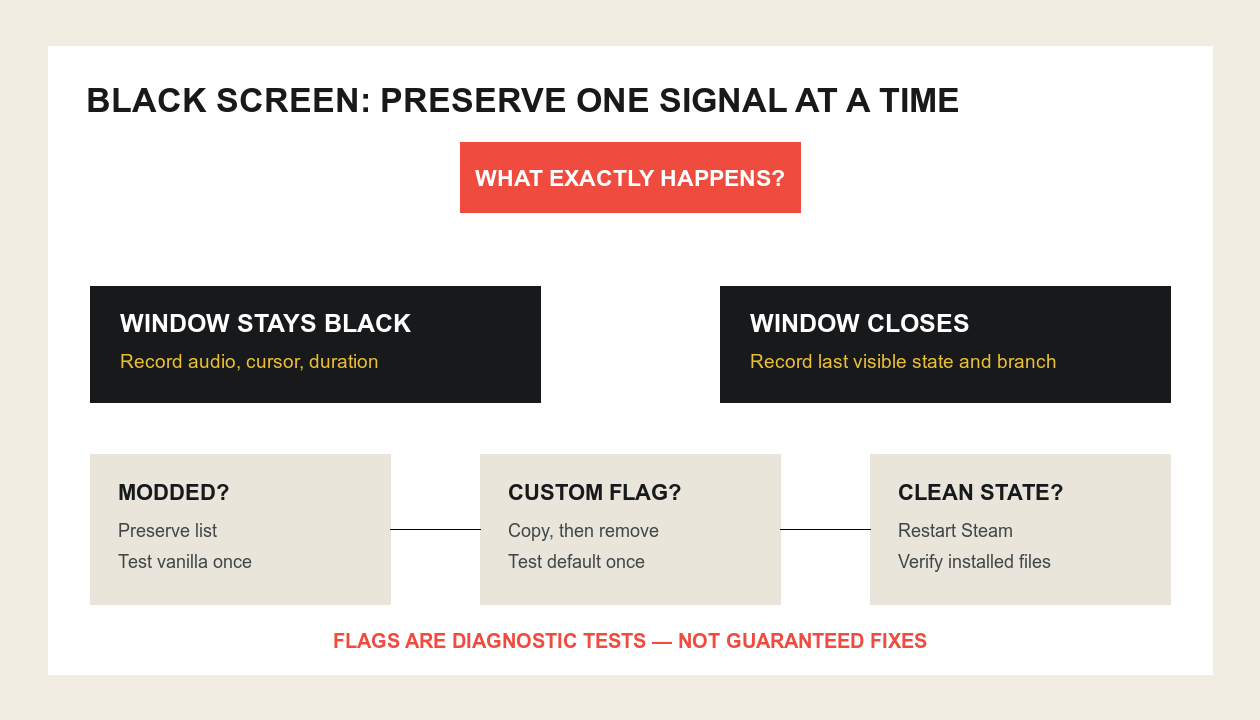
Before changing files, record the Steam branch, enabled mods, launch options, operating system, graphics adapter, and the last screen you can see. Public reports describe at least three different states: a persistent black window, a black window that closes, and a launch that works with a rendering flag but displays broken cards. Those reports show demand; they do not establish one cause.
Record now
- Black screen with or without audio
- Immediate close or persistent window
- Main or beta branch
- Vanilla or modded launch
Do not do yet
- Delete DLLs or saves
- Stack multiple launch flags
- Unsubscribe from every mod
- Reinstall before preserving evidence
02 / Clean state
Test the smallest reversible state first
- Close the game and Steam completely, then restart the computer. Steam's verification guide starts from a restart.
- Copy any existing launch options into a note, then remove them. This lets you test the storefront default without losing the experiment history.
- Record the selected branch. If you opted into a beta, test the current main branch only after preserving the branch name.
- Test vanilla if the failure began with mods. Preserve the mod list first; do not delete save data or mod folders as a first step.
03 / Steam verification
Repair installed files before reinstalling the game
Steam's official path is Library → right-click the game → Properties → Installed Files → Verify integrity of game files. Steam warns not to run this alongside another system-intensive operation and notes that one or more local configuration files can legitimately fail verification.
04 / Rendering flags
A flag can isolate a renderer; it can also create a second defect
Community threads report mixed results from --rendering-driver opengl3: some players reached the menu, others still crashed, and some reported corrupted card graphics. That makes the flag a diagnostic experiment, not the default recommendation.
- Use only one flag at a time and record it exactly.
- Remove it after the test; do not silently leave it as the new baseline.
- If the game opens but visuals break, preserve that outcome and return to the default renderer.
- Do not delete a DLL or save directory from a community post without an official, current instruction and a recoverable backup.
05 / Escalation packet
Send a reproducible state, not “it still crashes”
If a clean launch and verified files still fail, submit the branch, OS, graphics adapter and driver version, mod state, exact launch options, whether audio is present, and whether the window closes. Include the smallest repeatable sequence and remove personal information from logs or screenshots.